Juice Jacking & Public Charging — Real Risk Assessment
What Juice Jacking Actually Is
Juice jacking is an attack where a malicious USB charging station or cable uses the USB data pins to exfiltrate data from a connected phone or install malware. The attack was demonstrated at DEF CON in 2011 and has been reproduced in controlled conditions since. In-the-wild attacks are documented but rare compared to phishing, SIM swaps, and account takeovers.
What Modern Phones Protect Against
iPhones and Android phones prompt the user before allowing data transfer over USB — the default connection is charging only. iPhone requires a passcode entry before allowing data access to a newly connected device. Android shows a notification and requires selecting File Transfer mode. As long as the user does not approve a data connection, the phone is largely protected against opportunistic juice-jacking attempts.
When the Protection Fails
The protection fails if the user is coerced or tricked into approving the data connection. It also fails if the phone is rooted or jailbroken in ways that weaken the USB stack. It can fail on older phones with outdated OS versions. If you are using a phone older than 2019 with outdated firmware, the built-in protections may be insufficient.
USB Data Blockers — How They Work
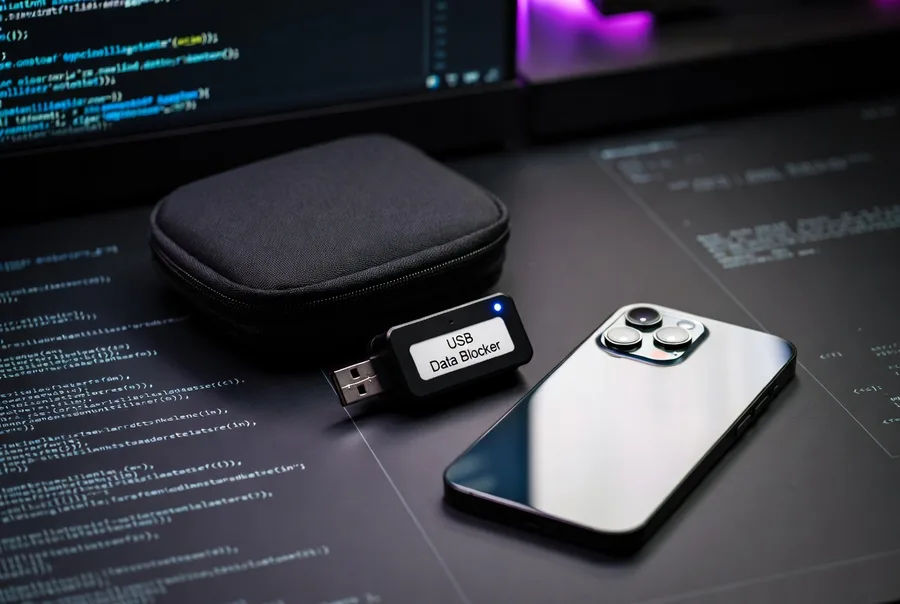
A USB data blocker is a small adapter that passes the power pins (VBUS and GND) through while disconnecting the data pins (D+ and D-). With no data connection possible at the hardware level, the device cannot transfer data or receive malicious input regardless of user action. Data blockers cost $5–$15 and work on any USB connection.
When Data Blockers Actually Matter
Data blockers matter most in these scenarios: charging in known high-threat environments (hacker conferences, border crossings in certain countries), charging for journalists or attorneys with professional confidentiality requirements, charging in environments where the phone may be left unattended while plugged in, and using phones that are older or less well-maintained. For most users in most situations, the phone's built-in protections are adequate.
Safer Alternatives to Data Blockers
Three alternatives eliminate the juice-jacking question entirely: use a wall adapter with your own cable (no host computer means no data path), use a power bank (brings your own clean power source), or charge wirelessly (no data pins in the Qi standard). Any of these approaches is more reliable than trusting that a USB data blocker is working correctly every time.
Cable Risks Separate from Stations
Some cables themselves contain malicious hardware — the O.MG Cable demonstrated at DEF CON can inject keystrokes and exfiltrate data. These cables are rare in consumer environments but do exist. Use your own cables, not cables left available at charging stations. If you must use a provided cable, use it with a data blocker or wireless charging to eliminate the data path.
Realistic Threat Model
For the average smartphone user, juice jacking ranks low on the threat list. Phishing, SIM swap attacks, compromised Wi-Fi, and lost devices are all more common and more damaging. Spend your security attention proportionally — configure two-factor authentication, use a password manager, and enable Find My Device before worrying about USB data blockers. If your threat model includes targeted attacks, then the data blocker makes sense as one layer among many.
More Guides
- 25 Phone Hacks Everyone Should Know
- Android Developer Mode Guide
- Android Debloating Without Root
- 30 Hidden iPhone Features
- Privacy Hardening Guide
- Carrier Unlock Codes
- Signal Isolation & Faraday Bags
- ADB Commands Reference
- Battery Optimization Guide
- Phone Security Basics
- Juice Jacking & Public Charging
Legal & Safety Disclaimer
All information on Hack Any Phone is for educational purposes only. Modifying your device can void warranties or cause instability. Always back up your data. We do not condone illegal activities such as IMEI changing or unauthorized network unlocking.